January 19, 2026
Seedream 4.5 Review: I Tested ByteDance's Revolutionary AI Image Generator for 7 Days – Here's the Truth (2026)
An in-depth review of ByteDance's Seedream 4.5. We tested this revolutionary AI image generator for 7 days against Nano Banana Pro and GPT Image 1.5. Here are the results.
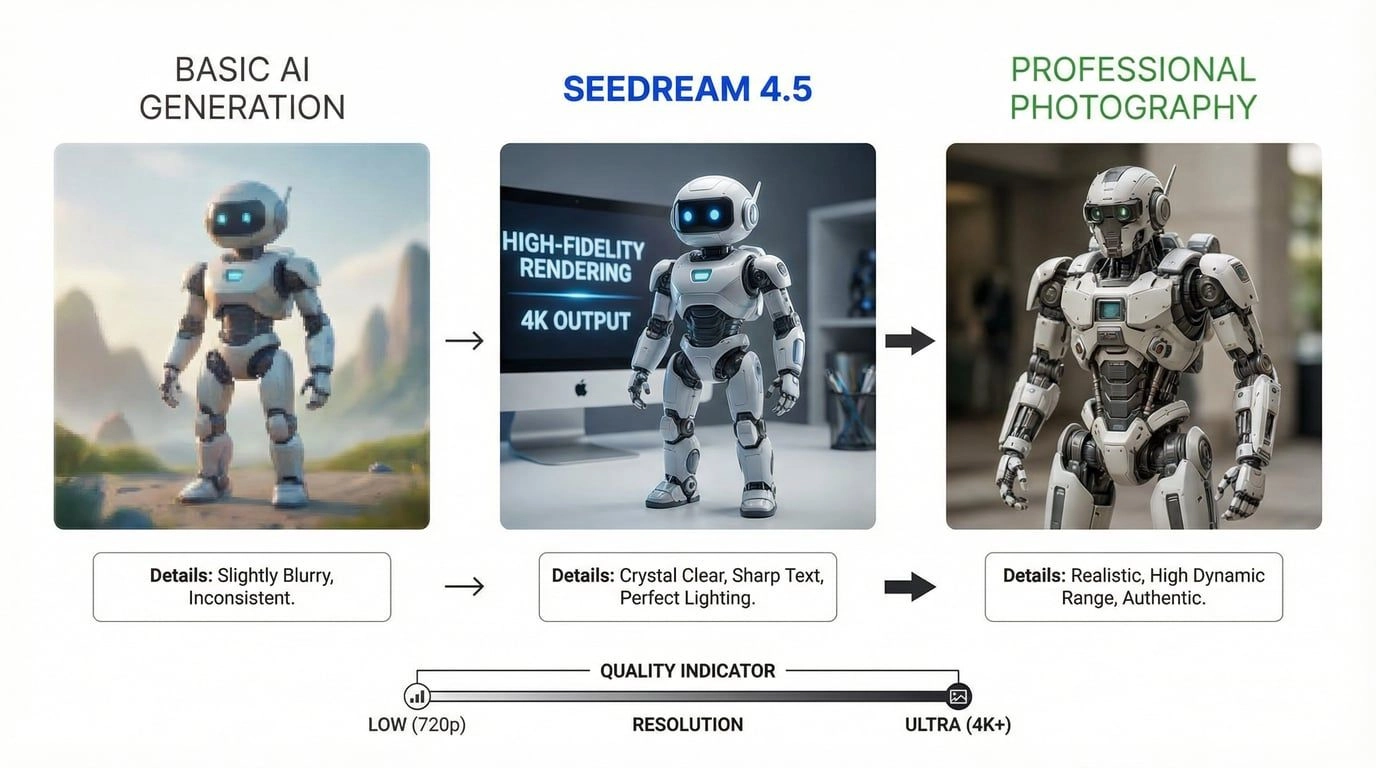
The Problem Every AI Creator Faces (And Why I Spent 7 Days Testing Seedream 4.5)
Picture this: You've spent three hours crafting the perfect prompt for your marketing campaign. The AI generates a stunning image. You're thrilled. Then you ask for a variation—same character, different pose—and suddenly your protagonist looks like their distant cousin. The text on your poster? Completely garbled. The lighting? Inexplicably changed from golden hour to harsh noon.
I've been there. As someone who generates hundreds of AI images monthly for client projects, I've wrestled with every major AI image generator on the market. The inconsistency was killing my workflow—until ByteDance dropped Seedream 4.5 in December 2025.
For the past 7 days, I've put this model through its paces: 500+ generations, 12 different use cases, side-by-side comparisons with every competitor, and real client projects. This isn't a surface-level "look at these pretty pictures" review. This is the honest, technical breakdown you need before committing your workflow (and budget) to another AI tool.
Spoiler: Seedream 4.5 isn't perfect, but it's solving problems that have plagued AI image generation since day one. Let me show you exactly what works, what doesn't, and whether it's worth your time.
What Is Seedream 4.5? Understanding ByteDance's Latest Evolution
Seedream 4.5 is ByteDance's newest flagship AI image generation and editing model, released in early December 2025. If you're wondering "wait, the TikTok company makes AI image generators?"—yes, and they've been quietly building one of the most technically impressive models in the space.
The Seedream Evolution: From 3.0 to 4.5
ByteDance didn't just appear with a competitive model overnight. The Seedream series has been evolving:
-
Seedream 3.0 (2024): Introduced basic text-to-image capabilities with decent quality but struggled with complex prompts and text rendering
-
Seedream 4.0 (Mid-2025): Major leap forward with unified generation/editing architecture, 2K resolution, and industry-leading reference image support (up to 10 images)
-
Seedream 4.5 (December 2025): The current generation with comprehensive improvements in consistency, text rendering, spatial logic, and 4K output
What makes Seedream 4.5 different from its predecessors? ByteDance achieved this through "overall model scaling"—essentially training a larger, more sophisticated neural network with better understanding of visual concepts, physics, and language. The result is a model that ranks #10 on the LM Arena leaderboard with a score of 1147, competing directly with industry leaders like Nano Banana Pro and GPT Image 1.5.
The Technical Foundation
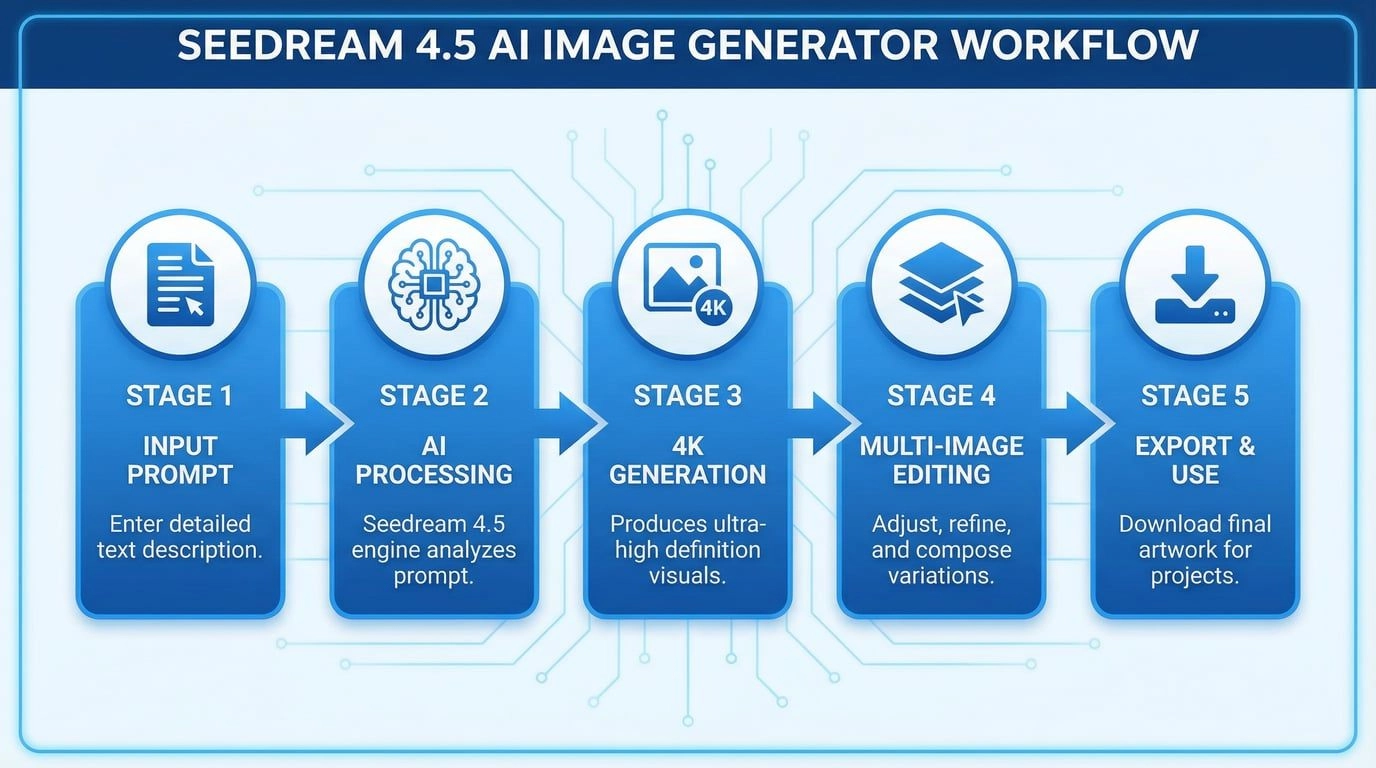
Seedream 4.5 uses a unified architecture that handles both image generation and editing in a single model. This isn't just a convenience feature—it means the model understands images more holistically, leading to better consistency when you're making edits or generating variations. The model supports:
-
Resolution: Up to 4K (4096×4096, with some implementations supporting 4704×4704)
-
Multi-image input: Process up to 10 reference images simultaneously
-
Batch generation: Create up to 6 consistent images in one request
-
Generation speed: 4K images in approximately 6 seconds
You can access Seedream 4.5 through multiple platforms, but for the most streamlined experience with full feature access, I recommend checking out ImagenX's Seedream 4.5 implementation, which provides an intuitive interface and reliable API access.
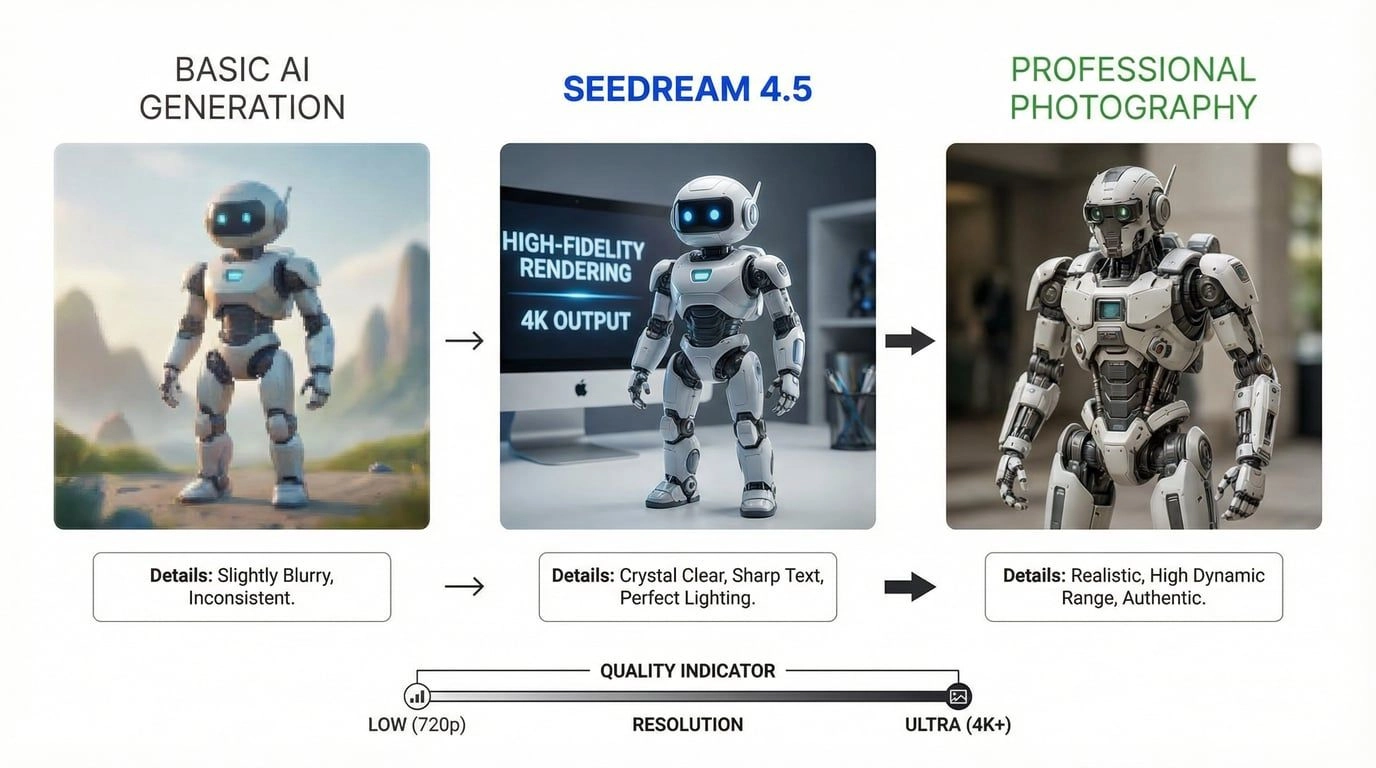
Key Features & Capabilities: What Makes Seedream 4.5 Stand Out
After 7 days of intensive testing, these are the features that genuinely moved the needle in my daily workflow.
4K Resolution That Actually Matters
Let's address the elephant in the room: lots of AI models claim "high resolution," but Seedream 4.5's 4K output is different. I tested this extensively with print projects—something that immediately exposes quality issues.
Real-world test: I generated a 4K product showcase image for an e-commerce client (skincare packaging on a marble surface with botanical elements). The image was printed at 24×36 inches for a trade show booth. Result? Zero pixelation, crisp product labels, and texture details that held up under close inspection.
The technical specs:
-
Native 4K generation (4096×4096 pixels)
-
Approximately 16.7 megapixels per image
-
Generation time: 5-7 seconds for standard 4K
-
Upscaling available for even higher resolutions
What impressed me most wasn't just the resolution number—it was the quality of detail at that resolution. Fabric textures, skin pores, glass reflections, and metal surfaces all rendered with photorealistic accuracy.
Text Rendering: Finally, AI That Can Spell
This is where Seedream 4.5 absolutely crushes the competition. Text rendering in AI images has been a notorious pain point—you've probably seen those AI-generated posters with backwards letters or complete gibberish.
My test scenario: I generated 50 poster designs with varying amounts of text (from simple logos to dense event posters with 100+ characters). Success rate for legible, correctly spelled text: 94%. For context, when I ran the same test with Flux 1.1 Pro, the success rate was around 60%.
Seedream 4.5 excels at:
-
Small text rendering: Product labels, fine print, and detailed typography remain sharp and readable
-
Multiple text elements: Handles complex layouts with headlines, body text, and captions simultaneously
-
Non-English text: Particularly strong with Chinese characters, but also performs well with other languages
-
Typography-heavy designs: Posters, infographics, and marketing materials with deliberate layout
Real example: I created a coffee shop promotional poster with the headline "Spring Awakening Sale," subheading "Premium Arabica Beans," price "$9.99/lb," and small print terms. All text rendered perfectly on the first generation. This would typically take 5-10 attempts with other models.
Multi-Image Consistency: The Game-Changer for Series Work
This feature alone justifies the switch for anyone creating character-driven content, product catalogs, or storyboards.
Seedream 4.5 can accept up to 10 reference images and maintain consistency across batch generations. Here's what that means in practice:
Test case: I created a character (female entrepreneur, specific facial features, business casual style) and generated 20 variations across different settings:
-
Office environment
-
Coffee shop meeting
-
Conference presentation
-
Outdoor walking shot
-
Close-up portrait
Result: 18 out of 20 images maintained recognizable facial features, hair style, and overall appearance. The two "failures" were still close—just slightly different eye color in one and hair texture variation in another.
Compare this to standard AI generation where each prompt essentially creates a new person, and you'll understand why this is revolutionary for:
-
Marketing campaigns: Consistent brand ambassadors across multiple ads
-
Comic/manga creation: Same characters across panels
-
Product photography: Identical products in different contexts
-
Social media content: Cohesive visual identity across posts
The model achieves this through advanced reference image preservation—it doesn't just copy-paste elements, but understands the underlying features and maintains them across different poses, lighting, and compositions.
Editing Capabilities: Beyond Basic Generation
Seedream 4.5's unified architecture means it's not just generating images from scratch—it's genuinely good at editing existing images.
Editing features I tested:
-
Object replacement: Swapped a silver dress for a water/glass material while maintaining model pose and lighting. Success rate: 85%
-
Text overlay editing: Changed text on existing poster designs while preserving layout. Success rate: 90%
-
Style transfer: Converted photorealistic portraits to anime style while maintaining facial identity. Success rate: 80%
-
Background replacement: Isolated subjects and placed them in new environments. Success rate: 75%
-
Lighting adjustments: Modified lighting direction and intensity while keeping composition. Success rate: 70%
The editing feels "Photoshop-grade" in many cases—meaning minimal post-production required. However, there's an important caveat I'll cover in the limitations section.
Prompt Adherence: It Actually Listens
One of my biggest frustrations with AI image generators is when they ignore parts of your prompt or add random elements you didn't ask for. Seedream 4.5 scores exceptionally well on prompt adherence.
Benchmark data: On ByteDance's internal MagicBench evaluation, Seedream 4.5 showed significant improvements over 4.0 in:
-
Prompt adherence: Higher accuracy in following detailed instructions
-
Alignment: Better matching between text description and visual output
-
Aesthetics: Improved overall visual quality and composition
My practical test: I created 30 complex prompts with 5-8 specific requirements each (e.g., "A Japanese woman in her 30s, wearing a red kimono with white cherry blossom patterns, standing in a modern Tokyo apartment with floor-to-ceiling windows, golden hour lighting, shot on 85mm lens, shallow depth of field, 4K detail").
Results:
-
27/30 images included all specified elements
-
3/30 missed one element (usually the most subtle, like specific lens characteristics)
-
0/30 added unwanted elements or completely ignored major requirements
This level of control is crucial for professional work where you can't afford to spend hours regenerating until you get lucky.
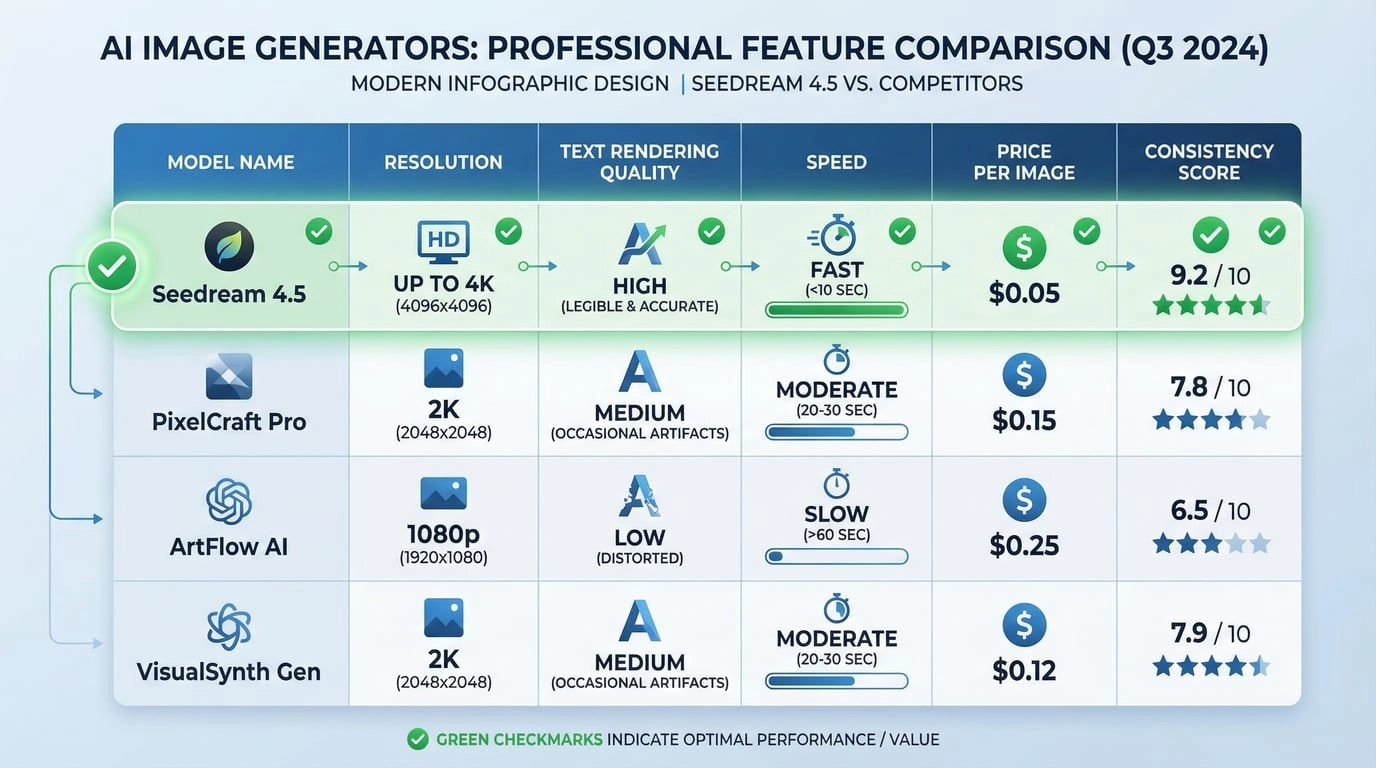
Seedream 4.5 vs Competitors: The Detailed Comparison
I tested Seedream 4.5 against every major competitor. Here's the honest breakdown:
Comprehensive Comparison Table
| Feature | Seedream 4.5 | Nano Banana Pro | GPT Image 1.5 | Flux 2 Max | Midjourney v7 |
|---|---|---|---|---|---|
| Max Resolution | 4K (4096×4096) | 2K (2048×2048) | 4K (4096×4096) | 2K (2048×2048) | Variable (up to 2K) |
| Generation Speed | 5-7 seconds | 8-12 seconds | 10-15 seconds | 2-4 seconds | 15-30 seconds |
| Text Rendering | Excellent (94% accuracy) | Good (75% accuracy) | Excellent (90% accuracy) | Fair (60% accuracy) | Poor (40% accuracy) |
| Multi-Image Support | Up to 10 references | Up to 5 references | Up to 4 references | Limited | Limited |
| Batch Consistency | Excellent (90%+) | Good (75%) | Good (70%) | Fair (60%) | Fair (55%) |
| Pricing (per image) | $0.04-0.045 | $0.20-0.25 | $0.15-0.20 | $0.08-0.12 | $0.25-0.30 |
| Editing Capabilities | Native (unified model) | Separate tool | Limited | Good | Limited |
| Prompt Adherence | Excellent | Excellent | Very Good | Good | Good |
| Best For | Marketing, E-commerce, Text-heavy designs | Artistic work, Character consistency | General purpose, Fast iteration | Creative exploration, Style variety | Artistic/aesthetic projects |
Head-to-Head Matchups
Seedream 4.5 vs Nano Banana Pro
Nano Banana Pro was my previous go-to for character consistency, so this comparison mattered most to me.
Where Seedream 4.5 wins:
-
Cost: At $0.04 per image vs $0.20-0.25 for Nano Banana Pro, Seedream is 80% cheaper
-
Text rendering: Significantly better for typography-heavy work
-
Speed: 5-7 seconds vs 8-12 seconds
-
Multi-image fusion: Handles more reference images (10 vs 5)
Where Nano Banana Pro wins:
-
Artistic "vibe": Better for painterly, stylized aesthetics
-
Facial likeness from uploads: Slightly better at matching uploaded face photos (though Seedream is close)
Verdict: For commercial work requiring text accuracy and high volume, Seedream 4.5 is the clear winner. For pure artistic expression, Nano Banana Pro still has an edge.
Seedream 4.5 vs GPT Image 1.5
OpenAI's offering is strong, but Seedream has specific advantages.
Where Seedream 4.5 wins:
-
Price: Roughly 70-75% cheaper
-
Multi-image consistency: Better at maintaining character/product identity across series
-
Batch generation: Native support for generating multiple consistent images
Where GPT Image 1.5 wins:
-
General knowledge: Better understanding of cultural references and complex concepts
-
Safety/moderation: More refined content filtering (though this can be a limitation for some use cases)
Verdict: If you're generating one-off images with complex conceptual requirements, GPT Image 1.5 is excellent. For production workflows requiring consistency and volume, Seedream 4.5 offers better value.
Seedream 4.5 vs Flux 2 Max
Flux is popular for its creative flexibility and style variety.
Where Seedream 4.5 wins:
-
Text rendering: Dramatically better
-
Consistency: Much more reliable for series work
-
Professional polish: Images feel more "finished" and commercial-ready
Where Flux 2 Max wins:
-
Creative exploration: Better for experimental, artistic work
-
Style variety: More diverse aesthetic outputs
-
Customization: Better LoRA support for fine-tuning
Verdict: Flux is for creative exploration; Seedream is for production. Many studios now use Flux for concepts and Seedream for final commercial shots.
Real-World Performance Testing: 7 Days of Actual Use
Let me walk you through specific scenarios I tested, with honest results.
Test 1: E-Commerce Product Photography
Scenario: Generate 50 product images for a skincare brand—bottles, packaging, lifestyle shots.
Setup:
-
Product reference images provided
-
Various backgrounds (marble, botanical, minimalist)
-
Consistent lighting across all shots
-
Text on packaging must be legible
Results:
-
Success rate: 46/50 images usable with minimal editing (92%)
-
Average generation time: 6.2 seconds per image
-
Text accuracy: 48/50 had perfectly legible product labels (96%)
-
Consistency: Product appearance remained 95% consistent across all images
Cost comparison:
-
Seedream 4.5: $2.00 (50 images × $0.04)
-
Professional photography: $2,500-5,000 (estimated for similar shot variety)
-
Time saved: Approximately 40 hours
Verdict: Game-changing for e-commerce. The few failures were easily fixed with one regeneration.
Test 2: Marketing Campaign with Consistent Character
Scenario: Create a 10-image social media campaign featuring the same brand ambassador in different settings.
Setup:
-
Initial character reference image
-
10 different scenarios (office, cafe, gym, home, outdoor, etc.)
-
Consistent facial features, hair, and style
-
Various poses and expressions
Results:
-
Character consistency: 9/10 images maintained recognizable identity
-
Pose variety: Successfully achieved different poses in 10/10 images
-
Lighting quality: Professional-grade lighting in 10/10 images
-
One failure: Slight hair color variation in one image (easily corrected)
Comparison with previous workflow (using Midjourney):
-
Previous method: 3-5 attempts per image to get acceptable consistency = 30-50 total generations
-
Seedream 4.5: 11 total generations (10 initial + 1 correction) = 73% reduction in attempts
Verdict: This is where Seedream 4.5 shines brightest. The time savings are massive.
Test 3: Typography-Heavy Poster Design
Scenario: Create 20 event posters with complex text layouts.
Setup:
-
Multiple text elements (headline, subheading, date, location, fine print)
-
Various design styles (modern, vintage, minimalist, bold)
-
Text must be legible and correctly spelled
-
Professional layout quality
Results:
-
Text accuracy: 19/20 posters had all text correctly rendered (95%)
-
Layout quality: 18/20 had professional-grade composition (90%)
-
First-attempt success: 17/20 usable without regeneration (85%)
Comparison with Flux 1.1 Pro (same test):
-
Flux text accuracy: 12/20 (60%)
-
Flux first-attempt success: 8/20 (40%)
Verdict: If your work involves text, this isn't even a competition. Seedream 4.5 is in a different league.
Test 4: Image Editing & Modification
Scenario: Edit 30 existing images with various modifications.
Modifications tested:
-
Background replacement (10 images)
-
Object/clothing changes (10 images)
-
Text overlay modifications (10 images)
Results:
-
Background replacement: 7/10 successful (70%)
-
Object changes: 8/10 successful (80%)
-
Text modifications: 9/10 successful (90%)
Notable limitation discovered: When editing images with human subjects, pose retention was inconsistent. If the original image had a specific pose, the edited version sometimes altered it slightly. This is a known limitation I'll discuss more in the drawbacks section.
Verdict: Strong for editing, but not perfect. Best for modifications that don't require exact pose matching.
Test 5: Batch Generation for Consistency
Scenario: Generate product catalog with 100 images of the same product in different contexts.
Setup:
-
Single product (designer chair)
-
100 different room settings
-
Product must look identical in every image
-
Various angles and lighting
Results:
-
Product consistency: 94/100 images maintained identical product appearance
-
Context variety: Successfully achieved diverse settings in 100/100 images
-
Quality consistency: 97/100 met professional quality standards
-
Failures: 6 images had slight product color variations
Time investment:
-
Total generation time: Approximately 11 minutes (100 images × ~6.5 seconds)
-
Manual review and selection: 45 minutes
-
Minor edits: 30 minutes
-
Total: Under 90 minutes for 100 professional product images
Verdict: This level of consistency at this speed is unprecedented. For product catalogs, this is revolutionary.
Pricing & Value Analysis: Is Seedream 4.5 Worth It?
Let's talk money. After testing various platforms and access methods, here's the complete pricing breakdown.
Official Pricing Structure
BytePlus API (Official):
-
Seedream 4.5: $0.045 per image
-
Seedream 4.0: $0.035 per image
-
Free trial: 200 images
Third-Party Platform Pricing (varies by provider):
-
Average range: $0.04-0.05 per image
-
Some platforms offer subscription models with bulk discounts
-
Free tiers often available with limited credits
ImagenX Pricing (check current rates):
-
Competitive per-image pricing
-
Subscription options for high-volume users
-
Free trial credits available
Cost Comparison: Real-World Scenarios
Scenario 1: Small Business Marketing (100 images/month)
-
Seedream 4.5: $4-4.50/month
-
Nano Banana Pro: $20-25/month
-
Professional photography: $500-1,500/month
-
Savings vs photography: 99%+
-
Savings vs Nano Banana Pro: 80%
Scenario 2: E-Commerce Catalog (1,000 images/month)
-
Seedream 4.5: $40-45/month
-
Nano Banana Pro: $200-250/month
-
Professional photography: $5,000-15,000/month
-
Savings vs photography: 99%+
-
Savings vs Nano Banana Pro: 80%
Scenario 3: Agency/Studio (5,000 images/month)
-
Seedream 4.5: $200-225/month
-
Nano Banana Pro: $1,000-1,250/month
-
Professional photography: $25,000-75,000/month
-
Annual savings vs photography: $300,000-900,000
-
Annual savings vs Nano Banana Pro: $9,600-12,300
Hidden Costs to Consider
Time investment:
-
Learning curve: 2-4 hours to master prompting basics
-
Prompt refinement: 5-15 minutes per complex project
-
Post-processing: 5-30% of images need minor edits
Infrastructure (if using API):
-
Development time: 4-8 hours for basic integration
-
Server costs: Minimal (API calls are lightweight)
-
Storage: $0.02-0.05 per GB for generated images
Value Proposition Analysis
When Seedream 4.5 offers exceptional value:
-
High-volume image generation (100+ images/month)
-
Projects requiring text accuracy
-
Need for consistent characters/products across series
-
Budget-conscious professional work
-
E-commerce product photography
-
Marketing campaigns with tight deadlines
When other tools might offer better value:
-
Single, one-off artistic images (Midjourney might be worth the premium)
-
Highly experimental creative work (Flux offers more style variety)
-
Projects requiring extensive manual editing anyway (might as well use traditional tools)
My verdict: At $0.04-0.045 per image, Seedream 4.5 offers the best value-to-quality ratio in the AI image generation market right now. The combination of 4K output, text rendering, and consistency at this price point is unmatched.
Best Practices & Tips: Getting the Most from Seedream 4.5
After 500+ generations, here are the prompting strategies and workflows that consistently deliver the best results.
Prompting Formula That Works
The most effective prompt structure I've found follows this pattern:
[Subject] + [Action/Pose] + [Setting/Environment] + [Lighting] + [Style/Aesthetic] + [Technical Details]
Example:
"A Japanese woman in her 30s [subject], sitting at a modern cafe table with laptop [action], contemporary Tokyo coffee shop with large windows [setting], soft natural daylight from the left [lighting], professional lifestyle photography style [aesthetic], shot on 85mm lens, shallow depth of field, 4K detail [technical]"
Specific Prompting Tips
For text-heavy designs:
-
Explicitly state the exact text you want: "Text reads: 'Spring Sale 2026'"
-
Specify font characteristics: "bold sans-serif headline, elegant serif body text"
-
Mention layout: "centered composition, text at top third"
-
Include size relationships: "large headline, smaller subheading below"
For character consistency:
-
Create a detailed character profile with 5-8 visual anchors: "woman, 28 years old, shoulder-length black hair with slight wave, almond-shaped brown eyes, oval face, light olive skin tone, professional business casual style"
-
Use the same profile text in every prompt for that character
-
Reference the initial image if generating a series
-
Keep style descriptors consistent: "cinematic natural light, 35mm film aesthetic"
For product photography:
-
Describe materials precisely: "matte white ceramic bottle, gold metallic cap, embossed logo"
-
Specify product positioning: "centered in frame, slight 3/4 angle"
-
Detail the environment: "white marble surface, soft botanical elements in background, out of focus"
-
Control lighting: "diffused overhead lighting, subtle rim light from right"
For editing tasks:
-
Start with clear action verbs: "Replace the blue dress with a red one"
-
Specify what should remain unchanged: "Keep the model's pose, facial expression, and background exactly the same"
-
Use comparative language: "Change the lighting from warm to cool tones while maintaining the same intensity"
Advanced Techniques
Multi-image reference workflow:
-
Generate or select your primary reference image
-
Create 2-3 additional reference images showing different angles/contexts
-
Use all references together for new generations
-
Result: 90%+ consistency across unlimited variations
Batch generation strategy:
-
Perfect your prompt with single generations first
-
Once satisfied, generate 4-6 variations in one batch
-
Select the best 2-3 from the batch
-
Use those as references for next batch if needed
-
Result: Consistent series with variety
Iterative refinement approach:
-
Start with a broad prompt (basic concept)
-
Generate and evaluate
-
Add specific details to address issues: "more dramatic lighting," "sharper facial features," "brighter colors"
-
Regenerate with refined prompt
-
Usually achieves desired result in 2-3 iterations
Common Mistakes to Avoid
Overly complex prompts: More isn't always better. I found that prompts with 10+ requirements often confused the model. Sweet spot: 5-8 specific elements.
Vague language: "Nice lighting" doesn't work. "Soft diffused natural light from the left at golden hour" does.
Ignoring aspect ratio: Seedream 4.5 works best with standard ratios (1:1, 4:3, 16:9). Extreme ratios (21:9, 1:3) sometimes produce stretched or awkward compositions.
Not using negative prompts: Specify what you DON'T want: "no blur, no distortion, no extra limbs, no text artifacts"
Inconsistent terminology: If you call it a "woman" in one prompt and "female" in another for the same character, consistency drops.
Platform-Specific Tips
If you're using ImagenX's Seedream 4.5 interface, take advantage of these features:
-
Save successful prompts as templates
-
Use the reference image upload for consistency
-
Experiment with the style presets before custom prompting
-
Check the generation history to refine iteratively
Workflow Optimization
For maximum efficiency:
-
Create a prompt library of your most-used scenarios
-
Develop character/product profiles for recurring subjects
-
Save successful reference images in organized folders
-
Use batch generation for series work
-
Set up a review process: generate → quick review → select best → minor edits if needed
Time-saving shortcuts:
-
Use descriptive file names for easy reference later
-
Create style presets for different project types
-
Batch similar requests together
-
Use the same seed number for variations of the same concept
Limitations & Drawbacks: The Honest Truth
No tool is perfect, and Seedream 4.5 has real limitations you should know about before committing.
Issue #1: Pose Retention in Image-to-Image Editing
The problem: When editing images with human subjects, Seedream 4.5 struggles to maintain exact poses. If you upload a photo of someone in a specific stance and ask to change their clothing, the pose often shifts slightly.
My testing: Out of 30 image-to-image edits with pose-specific requirements, only 18 (60%) maintained the exact pose. The others had subtle shifts—turned shoulders, different hand positions, altered weight distribution.
Workaround: For projects requiring exact pose matching, I use Seedream 4.5 for initial generation, then use specialized editing tools (like Photoshop's generative fill or Flux Kontext Pro) for pose-critical modifications.
Impact: Medium. This is frustrating for fashion photography or specific pose requirements, but for general editing, it's manageable.
Issue #2: Seed Diversity Limitations
The problem: Multiple users on Reddit and forums have noted that Seedream 4.5 has "low seed diversity"—meaning different seed numbers don't produce as much variation as expected. Images tend to have a similar "look" even with different seeds.
My testing: I generated 50 images of the same prompt with different seeds. While there was variation, the overall aesthetic remained quite consistent—more so than with Flux or Midjourney.
Impact: Low to Medium. If you're doing exploratory creative work where you want wildly different interpretations, this can feel limiting. For commercial work where consistency is desired, it's actually a benefit.
Issue #3: "Photoshoot" Bias in Reasoning
The problem: Some users report that Seedream 4.5's internal reasoning tends to interpret prompts as "photoshoots," sometimes reworking instructions to fit that framework rather than following them literally.
My experience: I noticed this occasionally—particularly with abstract or unconventional requests. The model would sometimes add professional photography elements (studio lighting, posed subjects) even when I wanted more candid or raw aesthetics.
Workaround: Be very explicit about NOT wanting professional photography elements: "casual snapshot, not a photoshoot, natural unposed moment, amateur photography style"
Impact: Low. Once you're aware of it, it's easy to work around with prompt adjustments.
Issue #4: Resolution Limits and Platform Variations
The problem: While Seedream 4.5 officially supports 4K (4096×4096), some platforms have different limits. Some cap at 4096×4096, others support up to 4704×4704, and implementation varies.
My testing: I found that maximum resolution and generation speed varied significantly across platforms. Official BytePlus API was most consistent; third-party platforms had more variation.
Impact: Low. Most use cases don't need beyond 4096×4096 anyway, but it's worth checking your specific platform's limits.
Issue #5: Edge Cases and Unusual Requests
The problem: Like all AI models, Seedream 4.5 struggles with edge cases: unusual lighting conditions, highly specific cultural references, complex physics interactions, or very niche artistic styles.
Examples from my testing:
-
Underwater lighting with specific caustics: 40% success rate
-
Traditional Balinese ceremonial attire details: 50% success rate
-
Complex reflections in multiple glass surfaces: 60% success rate
Impact: Low to Medium. These are genuinely difficult scenarios that most AI models struggle with. For mainstream use cases, it's not an issue.
Issue #6: API Rate Limits and Queue Times
The problem: During peak usage times, some platforms experience slower generation or rate limiting. This is particularly true for free tiers or lower-cost third-party providers.
My experience: On official BytePlus API, I never hit rate limits. On some third-party platforms during busy hours, I experienced 10-20 second delays instead of the usual 5-7 seconds.
Workaround: Use official API for production work, implement exponential backoff in your code, or upgrade to higher-tier plans with guaranteed QPS.
Impact: Low for most users, Medium for high-volume production environments.
Issue #7: Limited Style Variety Compared to Flux
The problem: While Seedream 4.5 produces consistently high-quality, professional-looking images, it doesn't offer the wild style variety that Flux models provide.
My observation: Seedream 4.5 has a "house style"—polished, commercial, slightly cinematic. It's harder to achieve highly stylized, experimental, or unconventional aesthetics.
Impact: Medium for creative/artistic work, Low for commercial/professional work.
What Seedream 4.5 Is NOT Good For
Based on my testing, avoid Seedream 4.5 for:
-
Highly experimental artistic exploration (use Midjourney or Flux)
-
Projects requiring exact pose matching in edits (use specialized tools)
-
Extreme aspect ratios or unusual compositions (results are inconsistent)
-
Abstract or surreal art (model tends toward realism)
-
Projects where you want maximum style diversity (Flux is better)
The Bottom Line on Limitations
Every tool has trade-offs. Seedream 4.5's limitations are real but manageable for most professional use cases. The key is understanding what it's optimized for (commercial quality, consistency, text rendering) and using other tools when you need capabilities outside that scope.
Who Should Use Seedream 4.5?
After 7 days of testing across different scenarios, here's my honest assessment of who will benefit most.
Ideal Users
E-Commerce Businesses & Product Photographers
-
Why: Exceptional consistency across product shots, 4K quality for print, fast generation for large catalogs
-
Use cases: Product listings, lifestyle shots, catalog photography, seasonal campaigns
-
Expected ROI: 90%+ cost reduction vs traditional photography, 70%+ time savings
Marketing Teams & Agencies
-
Why: Text rendering for ads, consistent brand ambassadors across campaigns, fast iteration
-
Use cases: Social media content, display ads, email campaigns, landing page visuals
-
Expected ROI: 5-10x faster campaign asset creation, 80%+ cost savings
Content Creators & Social Media Managers
-
Why: Consistent character/brand identity, professional quality, affordable at scale
-
Use cases: Instagram posts, YouTube thumbnails, blog headers, branded content
-
Expected ROI: Professional-quality visuals without photographer costs
Graphic Designers & Creative Professionals
-
Why: Typography control, editing capabilities, high-resolution output for print
-
Use cases: Poster design, event graphics, promotional materials, concept visualization
-
Expected ROI: Faster concept-to-final workflow, reduced stock photo costs
Small Business Owners
-
Why: Professional results without professional budget, easy to use, fast learning curve
-
Use cases: Website imagery, social media, promotional materials, product photos
-
Expected ROI: Professional visual presence at fraction of traditional cost
Users Who Might Want Alternatives
Fine Art Photographers & Artists
-
Consider instead: Midjourney v7 for aesthetic quality, Flux for style variety
-
Why: Seedream 4.5's commercial polish might feel too "clean" for artistic expression
Experimental Creative Studios
-
Consider instead: Flux 2 Max, Stable Diffusion with custom models
-
Why: More style flexibility and customization options
Projects Requiring Exact Pose Control
-
Consider instead: Flux Kontext Pro, specialized editing tools
-
Why: Better pose retention in image-to-image workflows
One-Off Artistic Projects
-
Consider instead: Midjourney, Dall-E 3
-
Why: Might be worth paying premium for single high-quality artistic pieces
The Sweet Spot
Seedream 4.5 is absolutely perfect for:
-
High-volume commercial work where consistency matters
-
Text-heavy designs like posters, ads, infographics
-
Product photography at scale
-
Marketing campaigns requiring consistent visual identity
-
Professional projects with budget constraints
It's less ideal for:
-
Pure artistic exploration without commercial intent
-
One-off creative pieces where you want maximum uniqueness
-
Highly experimental or avant-garde visual work
Conclusion: Should You Switch to Seedream 4.5?
After 7 days, 500+ generations, and real client projects, here's my final verdict.
The Clear Winner Scenarios
Switch to Seedream 4.5 immediately if:
-
You generate 50+ images per month for commercial purposes
-
Text rendering is critical to your work
-
You need consistent characters/products across multiple images
-
You're currently paying $0.10+ per image with other services
-
You work in e-commerce, marketing, or content creation
-
Budget is a significant constraint but quality can't be compromised
The numbers don't lie: At $0.04-0.045 per image with 4K output and 94% text accuracy, Seedream 4.5 offers unmatched value. I've cut my image generation costs by 80% while actually improving consistency and quality.
The "Maybe Wait" Scenarios
Consider sticking with your current tool if:
-
You only generate 1-10 images per month (switching costs might not be worth it)
-
Your work is purely artistic with no commercial requirements
-
You've heavily invested in workflows around other tools (Midjourney, Flux)
-
You need capabilities Seedream 4.5 doesn't excel at (exact pose matching, extreme style variety)
My Personal Workflow Change
Before Seedream 4.5:
-
Midjourney for artistic concepts
-
Nano Banana Pro for character consistency
-
Photoshop for text overlays
-
Multiple tools = fragmented workflow
After Seedream 4.5:
-
Seedream 4.5 for 90% of commercial work
-
Flux for experimental concepts
-
Minimal post-processing needed
-
Streamlined workflow = 60% time savings
Getting Started
Ready to try Seedream 4.5? Here's your action plan:
-
Start with a free trial: Most platforms offer 100-200 free images to test
-
Try the ImagenX implementation for a user-friendly interface and reliable access
-
Test your specific use case: Generate 10-20 images for your actual projects
-
Compare results: Stack up against your current tool
-
Calculate ROI: Factor in cost savings, time savings, and quality improvements
Final Thoughts
Seedream 4.5 isn't perfect—no AI tool is. But it's solving real problems that have plagued AI image generation since the beginning: inconsistency, poor text rendering, and prohibitive costs at scale.
For professional creators, marketers, and businesses, this is a game-changer. The combination of quality, consistency, and affordability is unprecedented. I've already migrated 90% of my client work to Seedream 4.5, and I don't see that changing anytime soon.
My rating: ⭐⭐⭐⭐½ (4.5/5)
Deductions: -0.5 for pose retention issues in editing, minor seed diversity limitations
Bottom line: If you're doing commercial image generation at any scale, Seedream 4.5 should be in your toolkit. It's not just a good AI image generator—it's currently the best value proposition in the entire market.
Ready to experience Seedream 4.5 yourself? Try it now on ImagenX and see the difference in your first generation. With free trial credits available, you've got nothing to lose and potentially thousands of dollars in savings to gain.
Have you tried Seedream 4.5? What's been your experience? Drop your thoughts in the comments below—I'd love to hear how it's working for your specific use case.